Last updated:
04. September, 2026
Written by Max Schubert

The consignment market for resale and local made products is growing: alone the market for secondhand apparel is forecast to reach $78 billion by 2030, nearly doubling from 2023. Running a consignment shop means handling inventory that belongs to other people, managing payouts and keeping it all accurate across sales channels. A standard retail POS does not do this out of the box. That is where consignment software and consignment-specific POS systems come in.
In this review, we compare the 9 best consignment POS systems and consignment software. We cover pricing, consignment-specific features, integrations, hardware requirements and who each option works best for:
ConsignPro (merged with SimpleConsign)
Comparison table of best consignment POS systems
Modern POS systems like Square POS, Shopify or PayPal POS are best-in-class for core retail tasks – such as ringing up sales and processing cards, but they don’t natively track consignors or calculate payouts.
Many store owners start with workarounds like Excel or this free consignment template. These can get you through the early days, but hit their limits quickly as inventory and vendors grow. At that point, you'll want a setup with consignor tracking built in or reliably integrated.
Square POS | Shopify POS | PayPal Zettle | Circle-Hand | Simple-Consign | Ricochet | |
Best for | In-person retail & budget friendly | Omnichannel retail & online brands | Small local consignment & pop-ups | Modern growth & automated consignment | Traditional & high-volume antique malls | Traditional retail and integrated payments |
Transaction fees | 2.6% | 2.4 - 2.6% | 2.29% | Any third party card reader +0$ / payout | 2.8 - 5%* | 2.6 - 2.9% + 2.00$ / payout |
Subscription | $0 | $29 - $79 | $0 | $83 - $299 | $159 - $559 | $199 - $378 |
Card reader cost | $59 | $49 | $29 | $29 - $49 | EMV Terminal $1000+ | EMV Terminal $800+ |
Countries | 🇺🇸 🇨🇦 🇬🇧 🇦🇺 | Worldwide | 🇺🇸 🇨🇦 🇬🇧 🇪🇺 | Worldwide | 🇺🇸 🇨🇦 | 🇺🇸 🇨🇦 |
Bring your own card reader | ❌ | ✅ | ❌ | ✅ | ❌ | ❌ |
Mobile App Support | ✅ | ✅ | ✅ | ✅ | ❌ | ✅ |
Online Shop | ✅ | ✅ | ✅ | ✅ | ❌ Shopify manual | ❌ Shopify manual |
Tap-to-Pay | ✅ | ✅ | ✅ | ✅ | ❌ | ❌ |
Barcode Scanner (in-app) | ✅ | ✅ | ✅ | ✅ | ❌ | ❌ |
Barcode scanner (external) | ✅ | ✅ | ✅ | ✅ | ✅ | ✅ |
Built-in consignor tracking | ❌ | ❌ | ❌ | ✅ | ✅ | ✅ |
3rd Party consignor tracking | ✅ (with Circle-Hand) | ✅ (with Circle-Hand) | ✅ (with Circle-Hand) | ✅ | ❌ | ❌ |
Integration & 3rd party apps | Good | Very good | Basic | Very good | Limited | Limited |
*SimpleConsign partners with SimplePay. Fees are negotiated per store and not publicly listed. Reviews and public information indicate rates between 2.8% and 5%.
Why you can trust us & evaluation criteria
We have helped and spoken to thousands of stores worldwide, from new openings to businesses with 30+ years of consignment experience and multi-million revenue, to streamline consignment operations. We tested and reviewed each system using 5 criteria, weighted for consignment operations:
Consignment features (30% weight)
Ease of use & setup (20%),
Pricing & total cost (20%),
Integrations & flexibility (15%),
Reporting & inventory (15%).
We are not going to sugarcoat it. There is a ton of bias here. Nothing we say can change that. But here is what we can promise you about this guide: If our competitors are doing a great job at something, we will praise them for it. Loudly. And we will supply real examples of the results from every software tested.
1. Square POS for consignment stores
🏆 Total score: 4.1 / 5
⭐ Capterra Reviews: 4.6 / 5 (3019 reviews)
💰 Price: $0 - $49 / month + 2.6% + 10¢ transaction fees for card payments
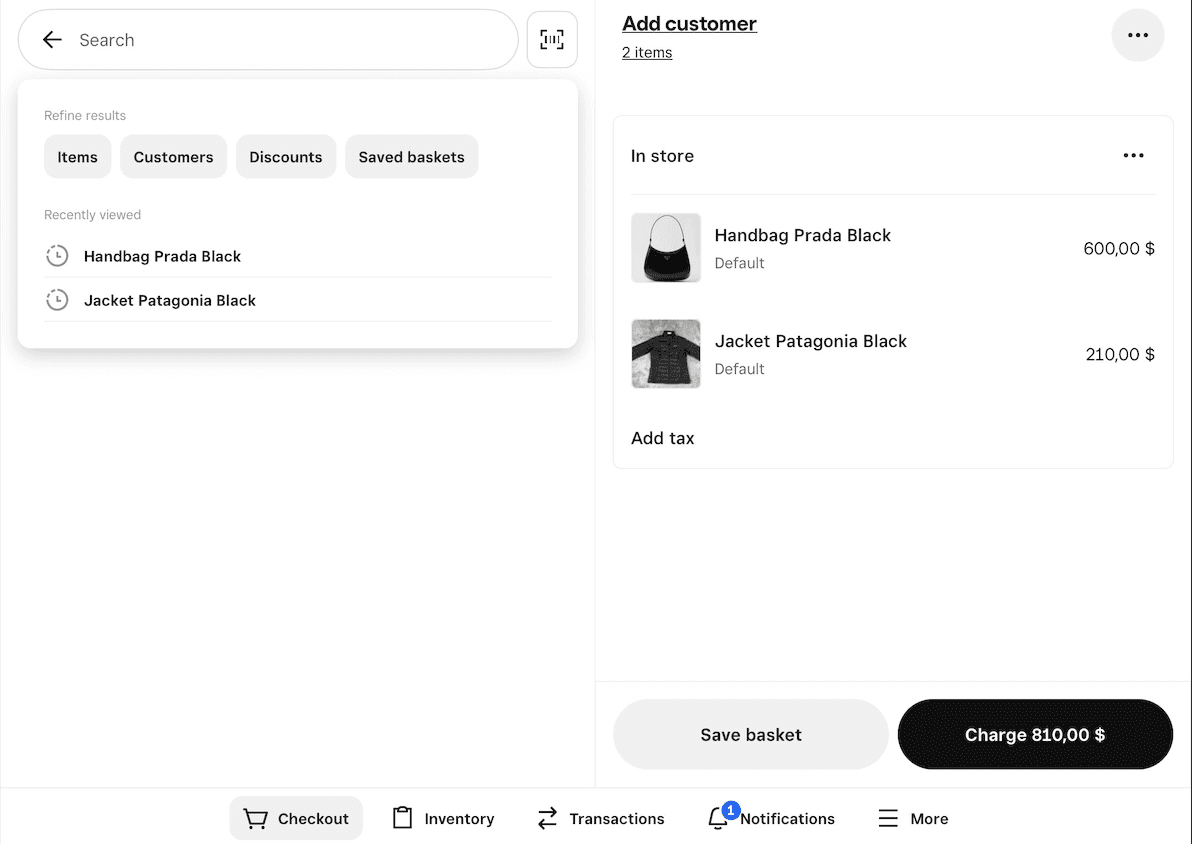
(Square POS checkout screen from an iPad)
Pros and what Square does well for consignment stores:
No monthly fee on the base plan. The interface is clean and staff can learn it in a day. Payment processing is built in at 2.6% + $0.15 per transaction, which is competitive. Square's hardware is affordable: a card reader costs $59, and you can run the app on any phone or tablet. For consignment stores, Square works as the front-end POS when paired with dedicated consignment software, including Circle-Hand (official partner) or Rose by ConsignorConnect [→ Detailed Square consignment review].
Free plan with no monthly fees
Easy to set up, staff learns it fast
Affordable hardware, works on any device
Strong app ecosystem and integrations
Cons and where Square falls short:
No native consignor accounts. No payout calculations. No vendor portal. Some store owners use Square's vendor tags or categories to track consignors manually, but this usually breaks down around 20+ consignors. At that point, you need either a dedicated consignment software or a different system.
No built-in consignment features
Manual consignor tracking breaks at scale
Advanced inventory tools require paid Plus plan ($49/mo)
Locked into Square's payment processor
2. Shopify POS for consignment stores
🏆 Score: 4.0 / 5
⭐ Capterra Reviews: 4.5 / 5 (6659 reviews)
💰 Price: $29 - $105 / month + 2.4-2.6% + 10¢ transaction fees
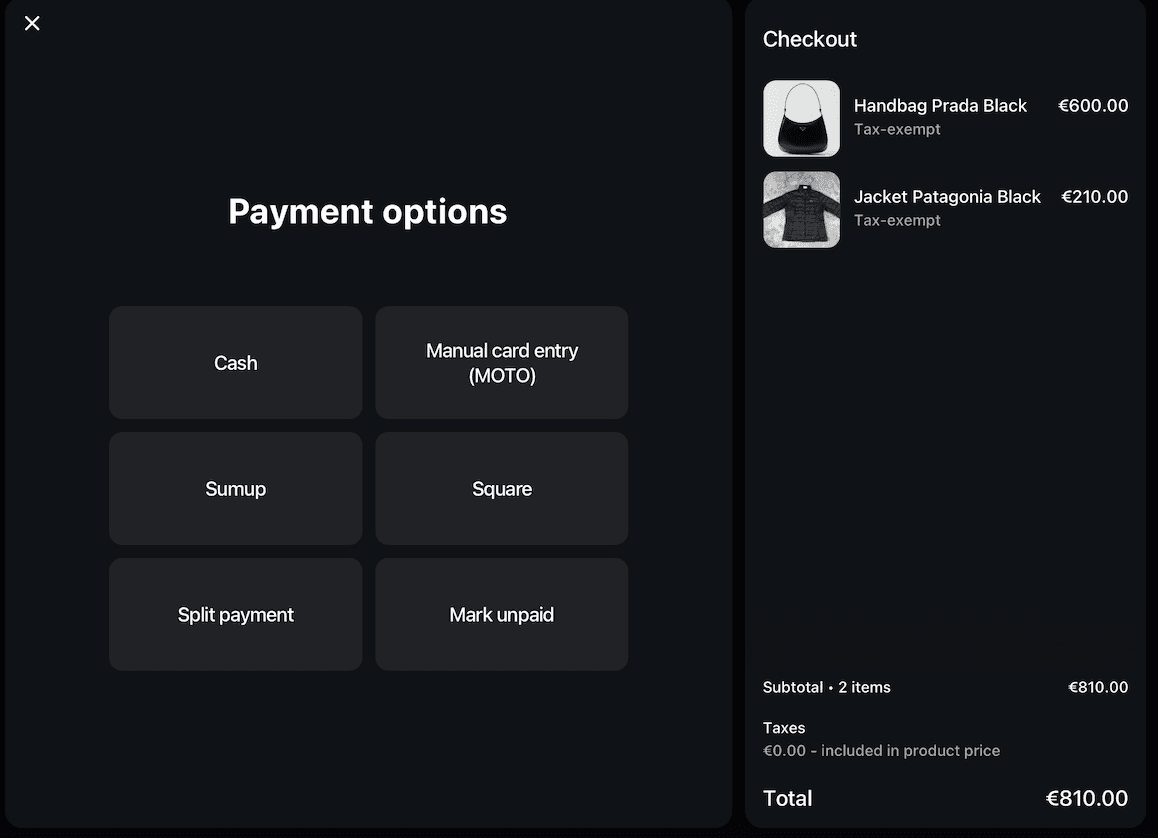
(Shopify POS checkout screen from an iPad)
Pros and what Shopify does well for consignment stores:
Best-in-class e-commerce, starting at $29/month. Your in-store and online inventory syncs automatically. Product listings and photos work across your website, social media channels and physical store. Shopify's app marketplace has thousands of integrations for crosslisting, shipping and more. You can use your own payment processor or Shopify Payments (2.4-2.7% + $0.10). Hardware is flexible: $49 card reader when paired with an iPad or Smartphone. For consignment, Shopify integrates with several dedicated platforms. Circle-Hand and ConsignCloud both offer Shopify integrations [→ Detailed Shopify consignment review].
Best omnichannel solution (in-store + online + social)
Huge app ecosystem for crosslisting items e.g. to eBay or CRM
Flexible payment processor options
Professional e-commerce website included
Cons and where Shopify falls short:
Like Square, Shopify has no built-in consignment logic. You cannot track consignors, calculate splits or manage payouts without a third-party app. The POS Lite plan (included with Shopify subscriptions) is limited. POS Pro costs an additional $89/month per location for features like staff permissions and detailed analytics.
No consignment features built in
POS Pro adds $89/month per location
Learning curve is steeper than Square
Monthly costs add up with apps and plans
3. PayPal POS (formerly Zettle) for consignment stores
🏆 Score: 3.7 / 5
⭐ Capterra Reviews: 4.6 / 5 (2290 reviews)
💰 Price: $0 / month + 2.29% + $0.09 transaction fees
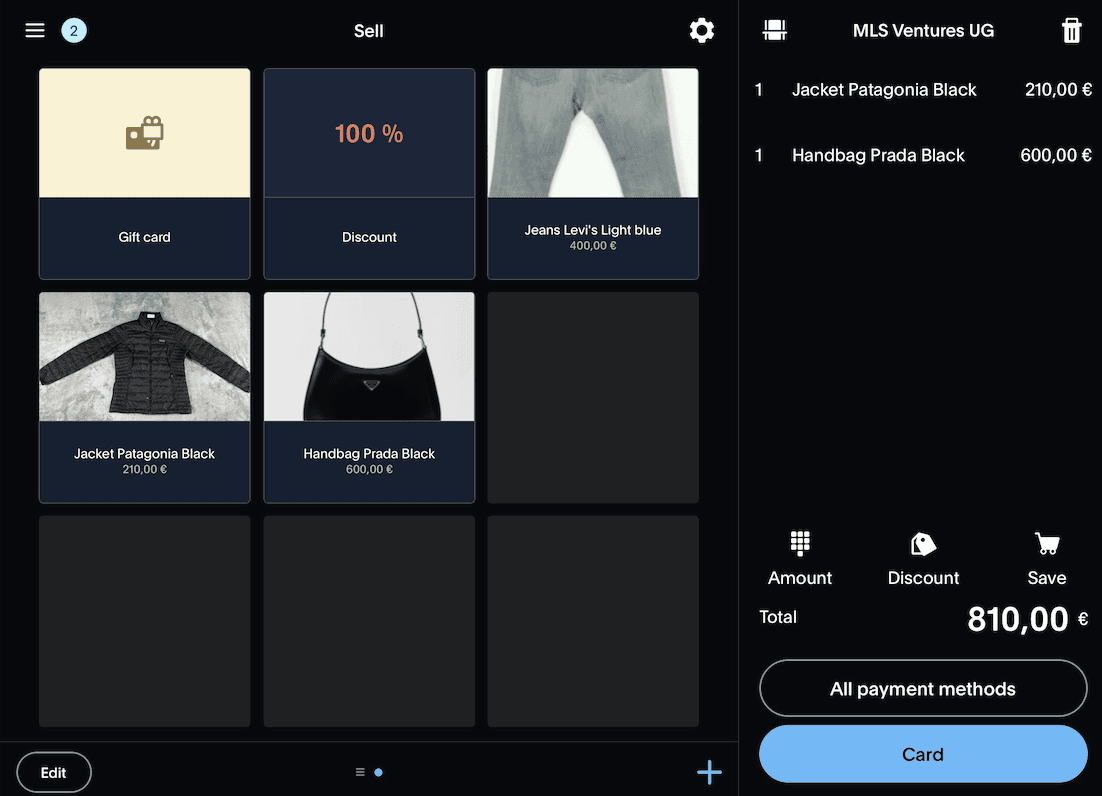
(PayPal POS checkout screen from an iPad)
Pros and what PayPal POS does well for consignment stores:
Lowest transaction fees (2.29% + $0.09) among the 3 general POS options listed here. The card reader is the cheapest at $29. Setup is simple. Good for small shops, pop-ups and seasonal consignment events. If you already use PayPal for your business banking, payouts arrive fast.
No monthly fee
Lowest transaction rates (2.29% + $0.09)
Cheapest card reader ($29)
Simple setup, funds go to PayPal
Cons and where PayPal POS falls short:
The app and feature set are more basic than Square or Shopify. Fewer integrations, no real app marketplace. No consignment features built in. Fewer consignment software platforms integrate with Zettle compared to Square or Shopify. Circle-Hand is currently the only official consignment platform with a deep Zettle integration.
Fewer integrations than Square or Shopify
More basic feature set
Limited consignment add-on options
No built-in e-commerce (relies on PayPal Commerce)
4. Circle-Hand for consignment stores
🏆 Score: 4.3 / 5
⭐ Capterra Reviews: 4.9 / 5 (79 reviews)
💰 Price: $83 - $299 / month + 0% transaction fees
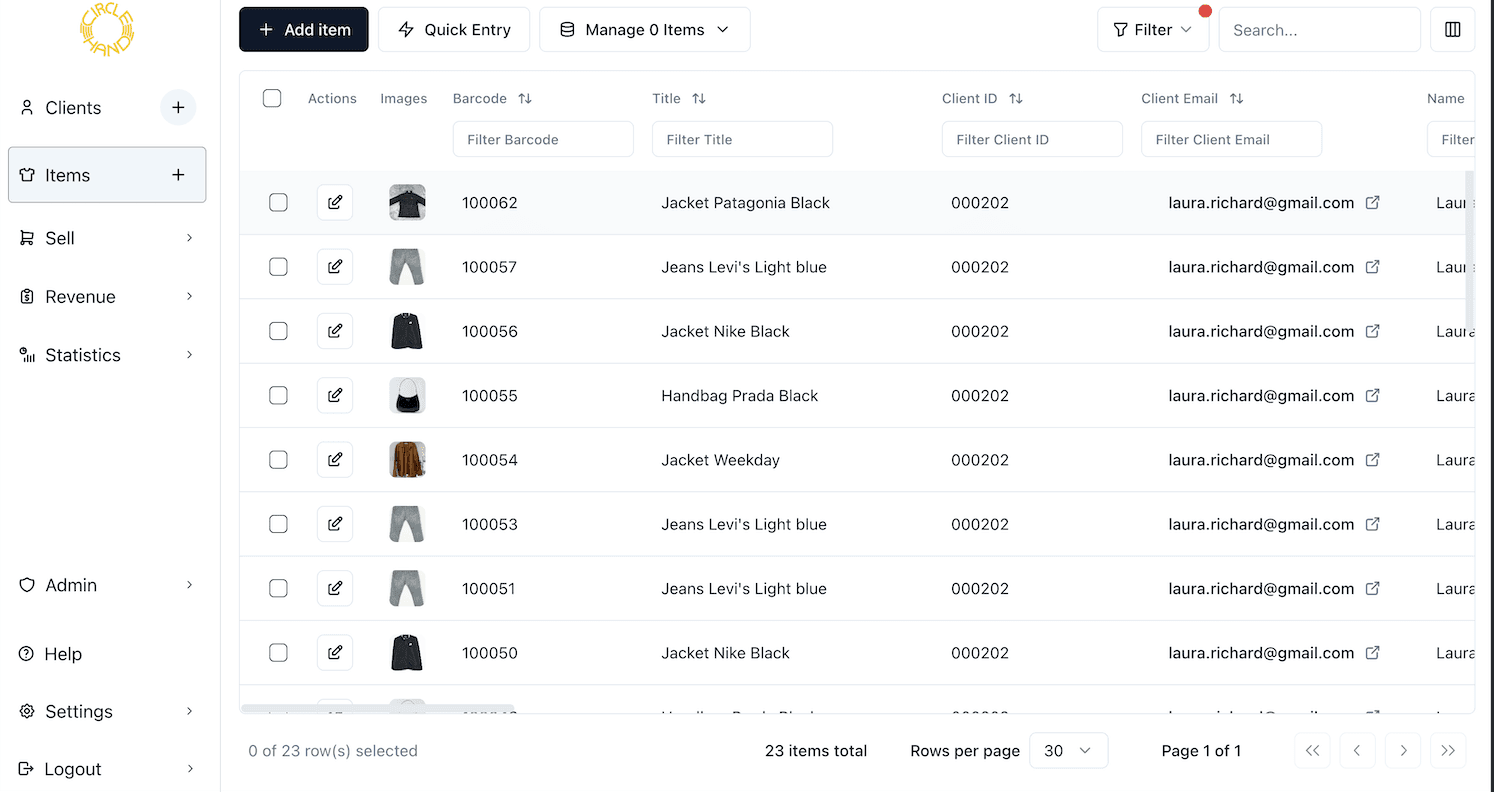
(Circle-Hand interface on a laptop / iPad)
Pros and what Circle-Hand does well for consignment stores:
Built specifically for consignment. Handles consignor tracking, payout automation, split calculations, return periods, automatic discount schedules and more. One staff member can enter up to 90 items per hour using AI-assisted item entry and pricing. Supports consignment, buy-outright and donations in one system. You can use Circle-Hand's built-in POS or connect it as official partner to Square, Shopify or PayPal POS. When a sale happens in your POS, Circle-Hand syncs it in real time, marks the item sold and credits the right consignor. At payout time, reports show exactly what each consignor sold and what you owe them. Consignor portal lets consignors log in, view their inventory, track payouts and optionally enter their own items. Automated notifications when items sell. Works on any device with a browser.
Official partner app and real-time integration and with Square, Shopify and PayPal POS
Top-rated consignment app on Capterra (4.9 / 5.0) in 2026
Fast AI-assisted item entry (up to 90 items/hour)
Consignment, buy-outright and donations in one system
Bring your own card reader, no proprietary hardware
Customizable consignor portal with many self-service features
Cons and where Circle-Hand falls short:
Newer than SimpleConsign and Ricochet. The learning curve is low, but some store owners with very specific legacy workflows may need to adapt their process. At $83/month (yearly plan) for the basic plan, it is more affordable than most dedicated consignment software but not free. Stores on very tight budgets may start with a manual system and add Circle-Hand later.
Newer platform than the legacy consignment POS systems
$83/month (yearly plan) starting price, but no free tier
Needs stable internet connection as it's cloud-based
Built-in POS has limited features in comparison to Square or Shopify
5 & 6. SimpleConsign (merged with ConsignPro) for consignment stores
🏆 Score: 3.5 / 5
⭐ Capterra Reviews: 4.7 / 5 (355 reviews)
💰 Price: $159-$359 / month + 2.8-5% + $0.09 transaction fees
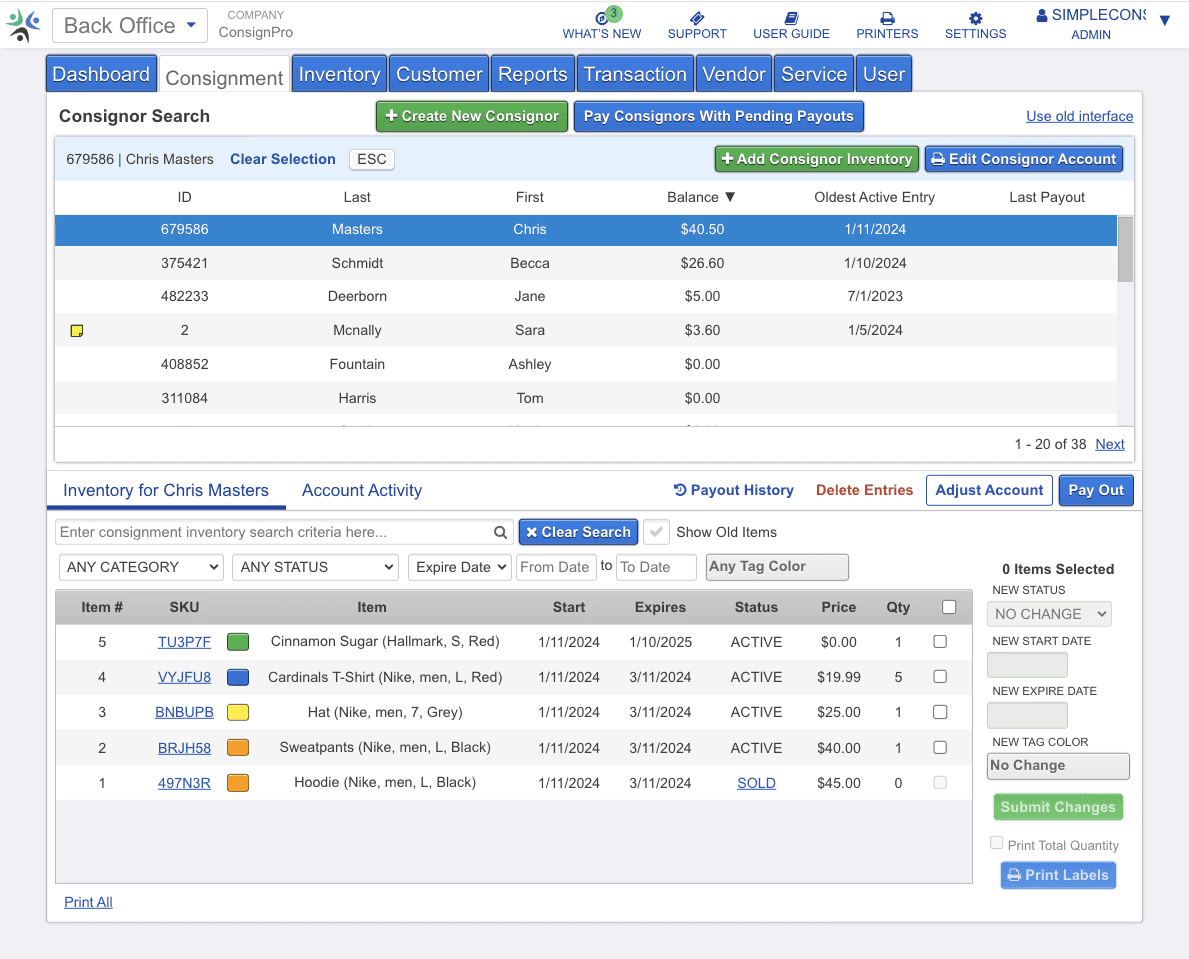
(SimpleConsign interface from a desktop computer)
Pros and what SimpleConsign does well for consignment stores:
SimpleConsign merged with ConsignPro in recent years, consolidating two legacy platforms. Full consignment workflow out of the box. Consignor accounts, payout calculations, split tracking and a consignor portal (ConsignorAccess) where sellers can view their item statuses and balances. Deep reporting. QuickBooks integration on the Pro plan. The Store Launch Program offers Professional-tier features at $99/month for the first 6 months or a revenue of $50.000, which is a reasonable on-ramp for new businesses.
SimpleConsign is the longest-running dedicated consignment POS
Full-featured consignor management and portal
Multi-location support
Store Launch Program at $99/month for 6 months (after $359 / month)
Cons and where SimpleConsign falls short:
The software was built years ago and has not been fully modernized. Reviews on Capterra mention a steep learning curve and an outdated look. Key features like Shopify sync and advanced reporting are locked behind higher-priced tiers. The Basic plan starts at $159/month. The Pro plan is $359/month. SimpleConsign's integrated payment processing (SimplePay) has higher transaction fees than Square or Zettle. Rates are negotiated per store, but public reviews indicate fees between 2.8% and 5%. Hardware is proprietary. You need their EMV terminal (around $1,000+). No mobile app for checkout. No tap-to-pay.
Dated interface, steeper learning curve
Higher transaction fees through SimplePay
More expensive proprietary hardware
Key features gated behind higher pricing tiers
No mobile app for POS, no tap-to-pay
7. Ricochet for consignment stores
🏆 Score: 4.0 / 5
⭐ Capterra Reviews: 4.7 / 5 (119 reviews)
💰 Price: $199-$378 / month + 2.6-2.9% + $0.10 transaction fees
*+ $100 Non-Integrated Fee if using another payment provider
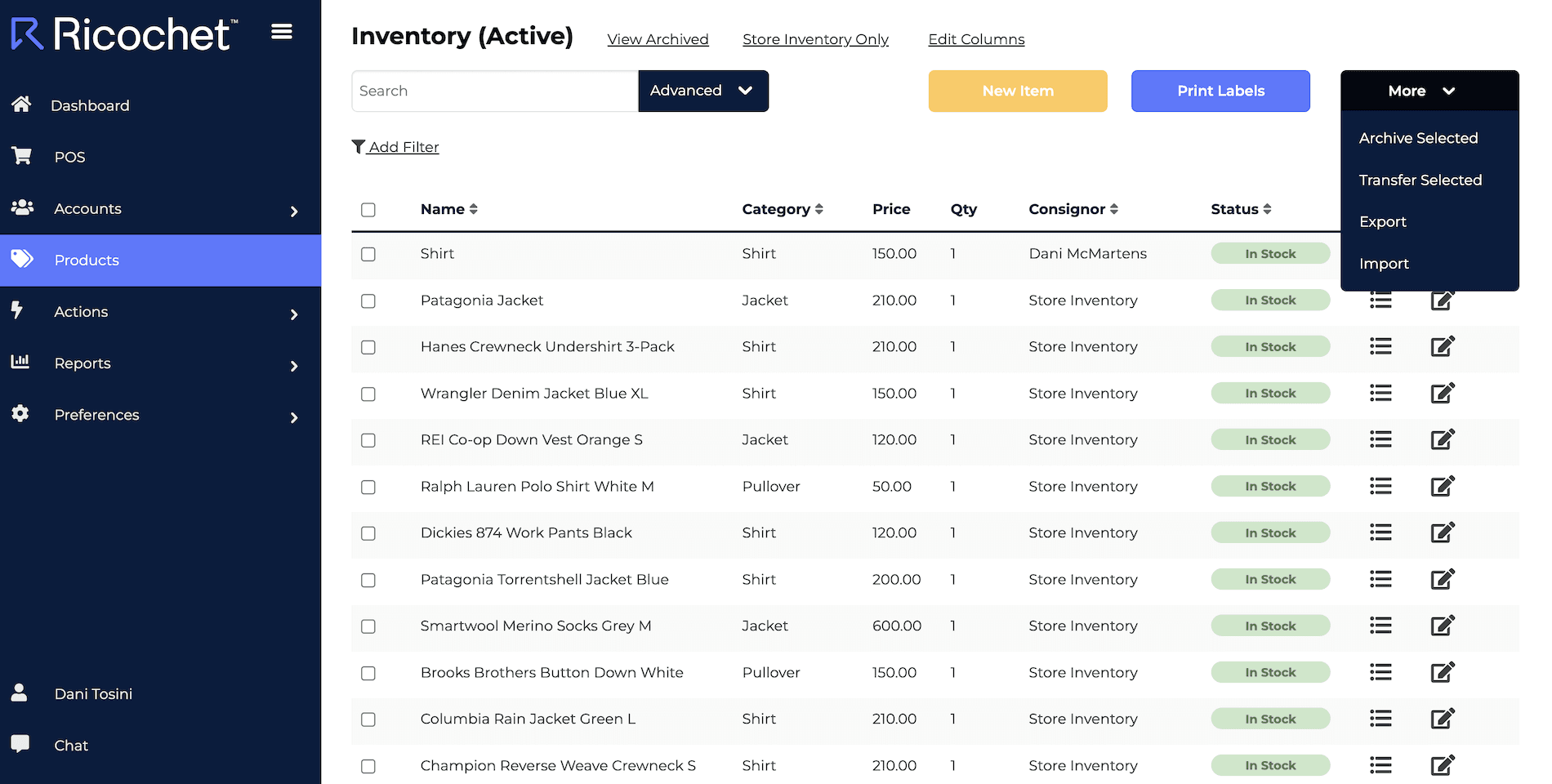
(Ricochet interface from a desktop computer)
Pros and what Ricochet does well for consignment stores:
All in one POS system for consignment stores. Consignor accounts, flexible split calculations, ACH payouts, check printing and store credit. The Ricochet GO mobile app gives consignors direct access to their sales, payouts and inventory from their phone. Integrates with QuickBooks. Customer support is responsive and highly praised in Capterra reviews.
Pricing starts at at $199/month +$100/month for using another payment provider +$79 for e-commerce.
Integrated consignment features, no feature gating
Consignor mobile app (Ricochet GO)
Flat pricing with unlimited consignors and devices
Solid payout workflow (ACH, checks, store credit)
Cons and where Ricochet falls short:
At $199/month +$100/month for using another payment provider +$79 for e-commerce, it is the most expensive option with a total of $378/month. Payment processing goes through Ricochet Pay (powered by Fortis) at 2.6% + $0.10 in person, plus a $2/payout fee. Hardware is more traditional. No tap-to-pay. In-app barcode scanning is not available; you need an external scanner. No deep integration with Square, Shopify or Zettle, so you cannot use a general POS as your front end. The interface is functional. The Shopify integration is very limited (no sync of returns, no third party app support, manual steps for listing online)
$199/month base, $378/month with e-commerce and third party payment
No real-time integration with Square, Shopify, or Zettle
Additional payout fees
No tap-to-pay, no in-app barcode scanning
E-commerce is a paid add-on
8. ConsignCloud for consignment stores
🏆 Score: 3.9 / 5
⭐ Capterra Reviews: 4.6 / 5 (52 reviews)
💰 Price: $139-$189 / month + 2.7% + $0.05 transaction fees
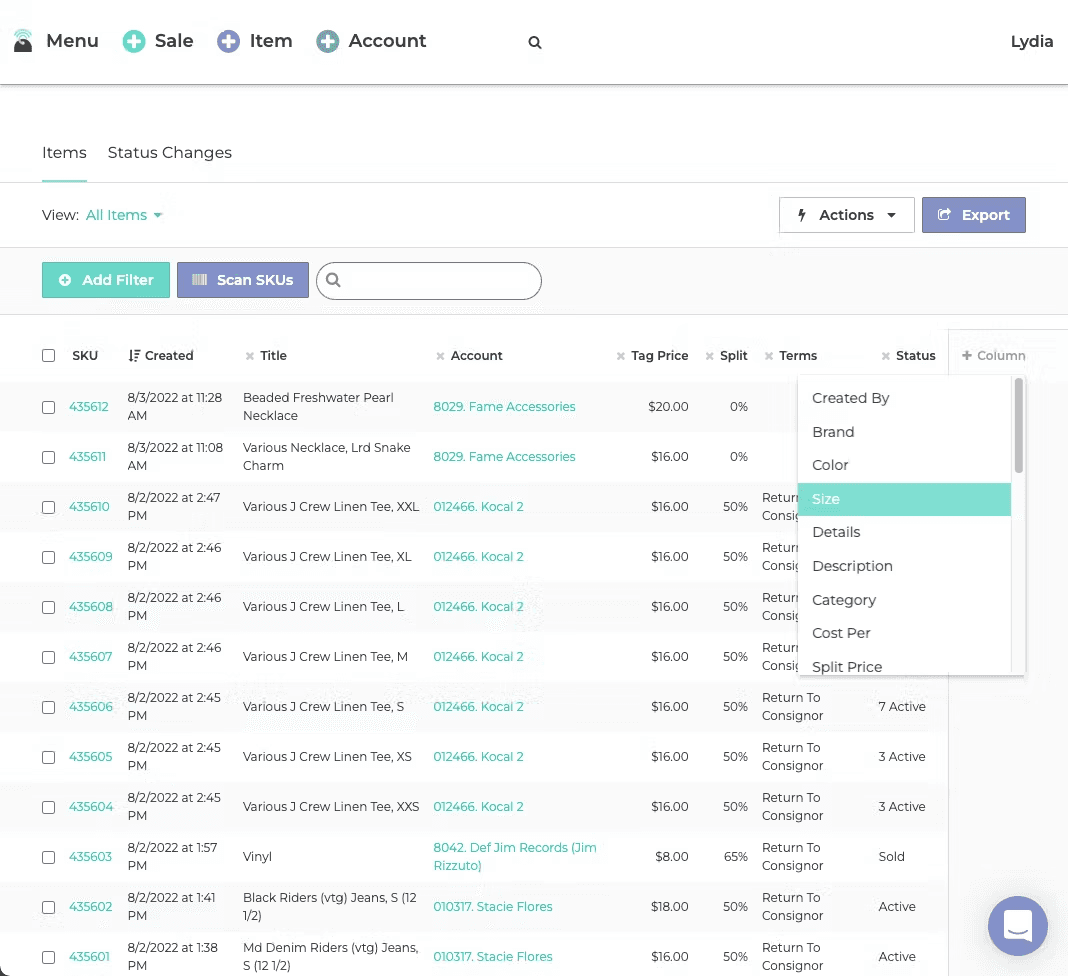
(ConsignCloud interface from a desktop computer)
Pros and what ConsignCloud does well for consignment stores:
Clean, modern interface. Easier to learn than SimpleConsign or Ricochet. Has basic integrations with Shopify and Square. Consignor portal and automated email notifications. Flexible pricing rules and split structures. Customer support is frequently praised in reviews. Pricing starts at $139/month, which is competitive for a full-featured consignment platform.
Modern, clean interface
Has Shopify and Square integrations
API for custom reports
Strong customer support
Competitive pricing at $139/month
Cons and where ConsignCloud falls short:
In Capterra reviews users report inventory sync issues with external integrations like Shopify. Less proven at large multi-location scale compared to SimpleConsign. No AI or automation features for pricing or intake. Payment processing goes through Gravity Payments or Stripe.
Reported sync issues with integrations for Shopify and Square
Less proven for multi-location at scale
No intake automation or AI features
9. Rose by ConsignorConnect for consignment stores
🏆 Score: 3.5 / 5
⭐ Capterra Reviews: 4.4 / 5 (34 reviews)
💰 Price: $75-$95 / month + 0% transaction fees
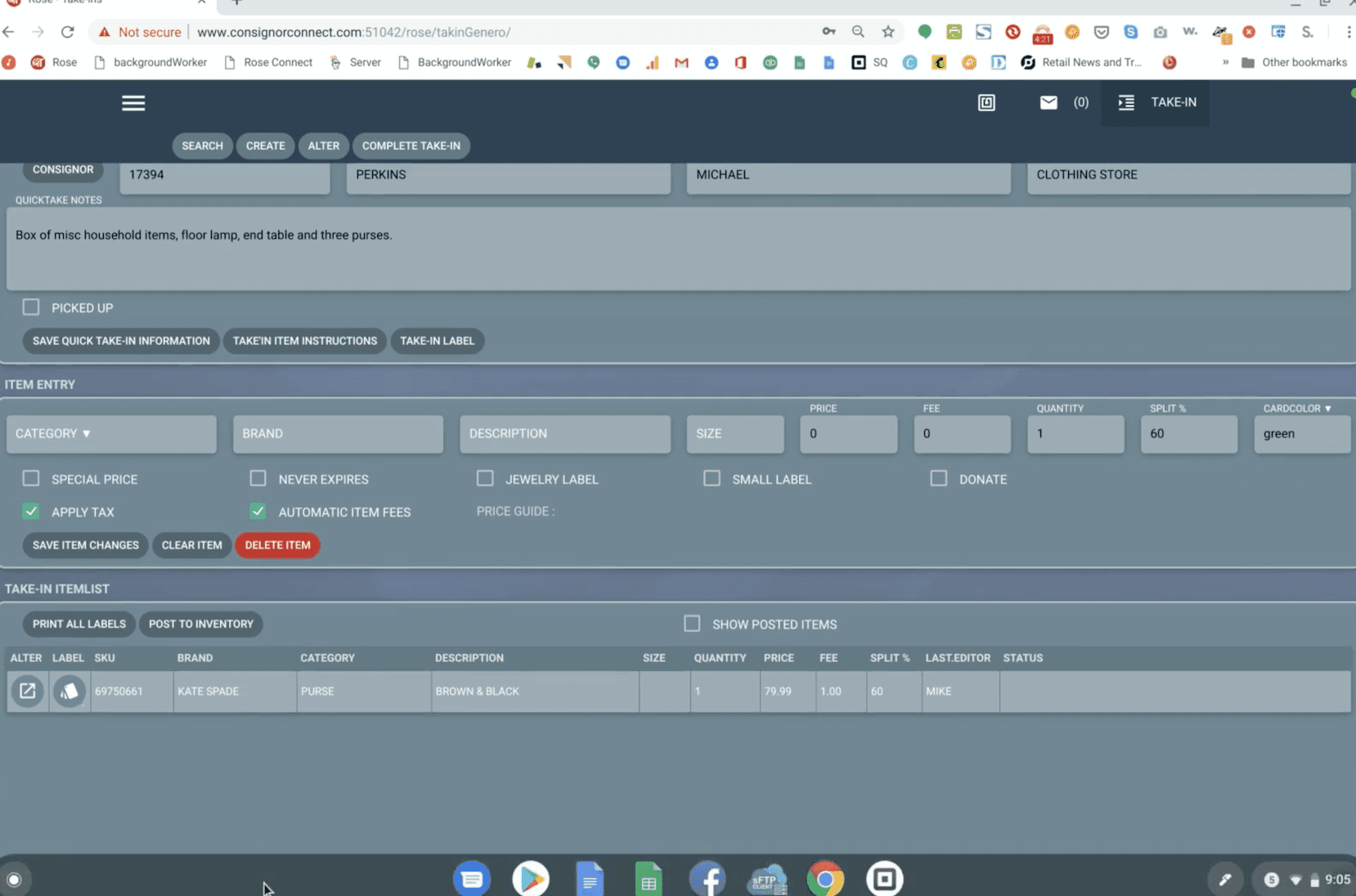
(Rose by ConsignorConnect interface from desktop computer)
Pros and what Rose by ConsignorConnect does well for consignment stores:
Adds consignment tracking, consignor portal and payout management on top of Square's POS. Uses all of Square's existing hardware, loyalty programs and email marketing features. Vendors can see their own inventory through the Vendor Portal. At $75-$95/month per location, it is the most affordable dedicated consignment software for Square users.
Very affordable at $75/month
Works with Square's free POS and hardware
Vendor portal for consignor self-service
Cons and where Rose by ConsignorConnect falls short:
Only works with Square. No Shopify integration, no standalone POS. Feature set is narrower than more full-featured platforms - it is the 'better Excel sheet. The vendor portal is functional but basic compared to Ricochet GO or Circle-Hand's portal. Limited automation.
Square only, no other POS support
Printing multiple labels at once cost +$20, so $95 / month
Narrower feature set
Basic automation
One-person development team
10. How to use Square, Shopify or PayPal POS as a consignment POS?
To get the best of both worlds, many consignment shops have started using a fully integrated setup in recent years: Combining a modern POS system for handling sales and payments with dedicated consignment software for managing inventory and sellers. Shopify, Square, and Zettle have real-time integrations with Circle-Hand.
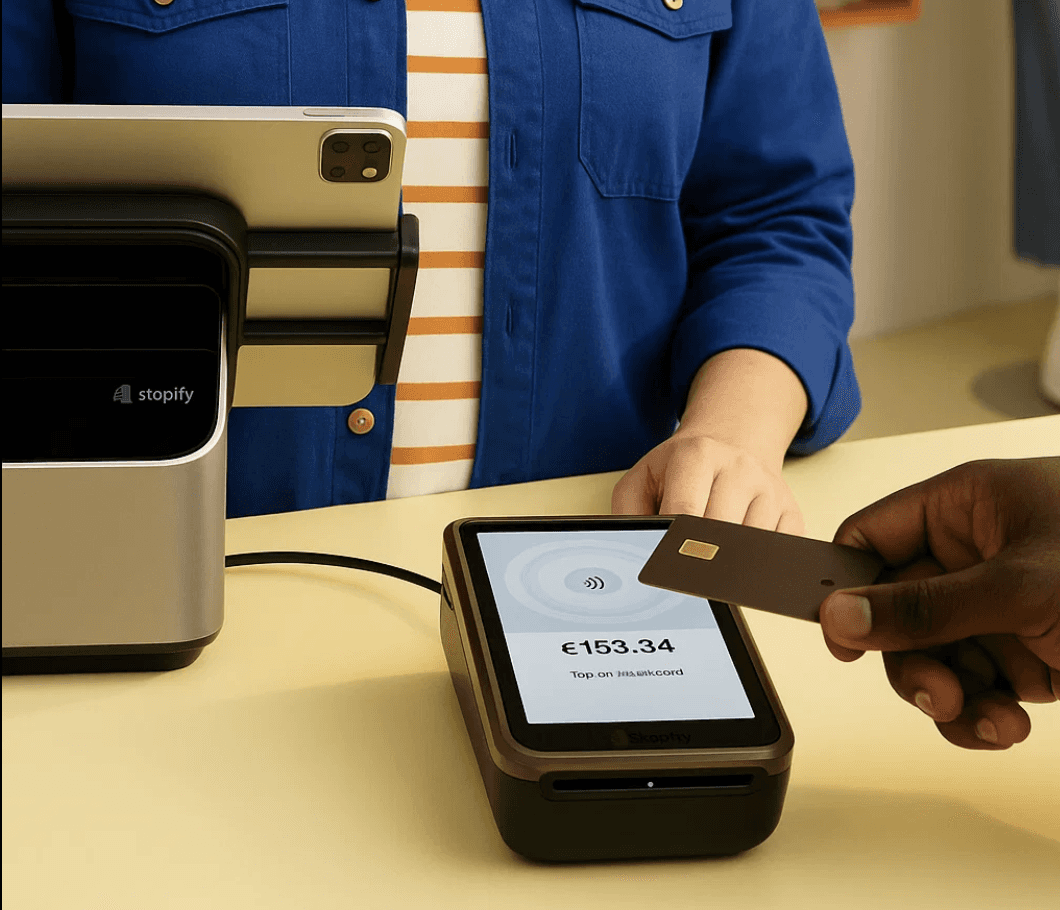
Here is how it works in practice: You use Square POS, Shopify POS or Zettle POS at the register. When a sale happens, the POS sends the transaction data to the consignment platform, which marks the item sold and credits the correct consignor's account. At payout time, you pull a report showing what each consignor sold and what you owe them. No manual cross-referencing. No spreadsheets.
This approach has a few advantages over all-in-one legacy systems:
You keep a modern, fast checkout experience for customers. You are not locked into one vendor's proprietary hardware or payment processor. If you decide to switch your POS, your consignor data stays intact in the separate system. If you ever decide to switch your POS, you can do so without losing your consignor data. In short, you’re not locked in.
When choosing this route, make sure the consignment software has a real-time integration with your POS, not a batch import. Look for official partnerships. A sync delay of even a few minutes can cause double-selling of one-of-a-kind items, which damages consignor trust and creates accounting headaches.
Here is a full comparison of inventory management systems for consignment and resale shops.
11. Are legacy all-in-one consignment POS systems worth it?
You might be tempted by legacy consignment POS systems like
SimpleConsign (with SimplePay)
ConsignPro (with SimplePay)
ResaleWorld ( with SimplePay)
ConsignCloud (with Gravity Payments)
Ricochet (with Fortis)
These systems have real strengths: deep consignment workflows, years of user feedback baked into the product and the simplicity of managing everything in one place. But they come with trade-offs that are worth understanding before you commit:
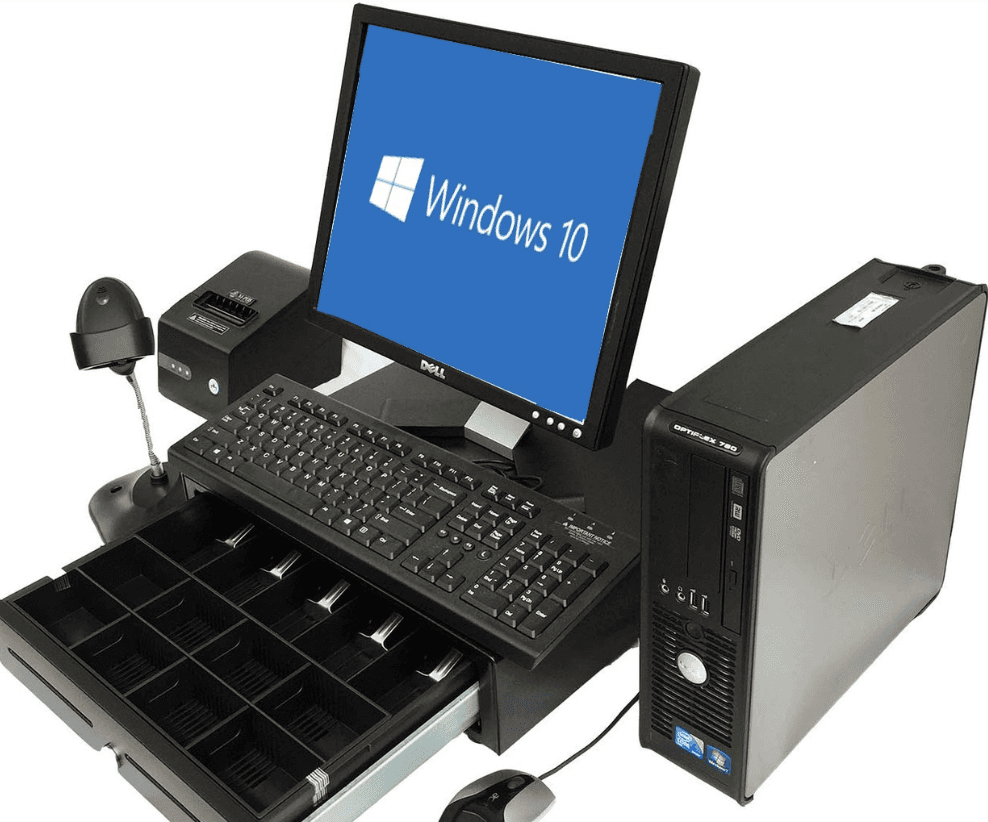
(EMV terminal of a legacy consignment POS)
Costly / Proprietary Hardware: They often require specific proprietary payment terminals instead of letting you use a cheap reader or an iPad. This means higher hardware spending and less flexibility.
Higher Payment Processing Fees: Using a niche POS can lock you into their preferred payment solution, which often has higher transaction fees. Since often times they don't integrate with others or charge extra, you can't switch the payment provider for better rates.
Limited Device Support: Unlike modern cloud POS apps, they won’t run on tablets or phones. That lack of mobile support is a big inconvenience if you want to check sales on the go or use a tablet as a register. In contrast, Square, Shopify, and Zettle all have full-featured mobile apps that work from any device.
Outdated Interface and Features: Many legacy consignment POS platforms were built ages ago and it shows. Reviews on platforms like Capterra often report older or less intuitive interfaces, slower development of new features, and gaps in capabilities that modern retailers expect.
Walled Garden (Lack of Integrations): Specialized POS consignment systems tends to be a closed ecosystem. They often don’t play well with popular e-commerce platforms like Shopify or don't sync in real-time. Shopify or Square come with app marketplaces that let you connect all kinds of services (eBay, Instagram, online stores, etc.).
12. What hardware is needed for Square, Shopify or Paypal as consignment POS?
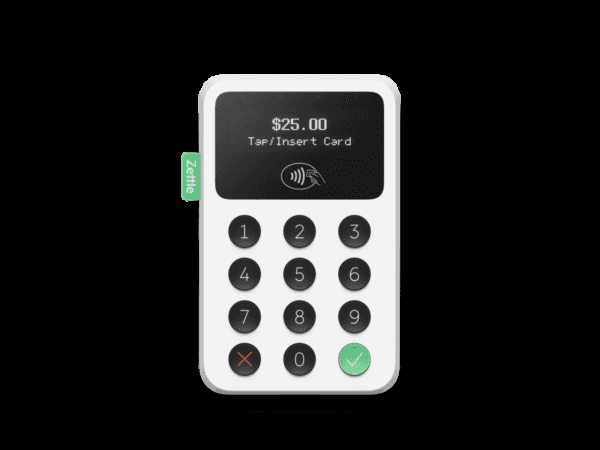
Modern POS hardware is affordable and plug-and-play. The example shows a typical card reader – a wireless device that pairs with a mobile app to handle credit/debit transactions. Shops can start with just a smartphone / tablet and a card reader, then add the rest as needed. Here’s the essential hardware you for your POS consignment and resale store:
Card Reader: A compact card reader that you accept credit/debit cards (often ~$50 or less).
Mobile Device or Tablet: You’ll need a device to run the POS software – typically an iPad or a smartphone. This device serves as your register screen.
Label Printer: In consignment, you often tag incoming items with a price label that includes a barcode and client ID. Common brands are Phomemo (under $100), Dymo, Zebra, Brother.
Receipt Printer (optional): While e-receipts via SMS or e-mail are popular especially for secondhand items, a receipt printer can be useful. Thermal receipt printers (USB or Bluetooth) can integrate with your POS app to print sale receipts on the spot.
Barcode Scanner (Optional): For higher volume shops or those with many items, a barcode scanner speeds up checkout. Scanners can be handheld wireless units or even just the camera on your tablet/phone (most POS apps have a built-in scan function).
Other hardware you might consider includes a cash drawer and a tablet stand or mount for your device (to present a professional checkout). The good news is that unlike older systems that required proprietary hardware, today’s POS solutions let you mix and match off-the-shelf components.
You can start lean – say, just your phone and a card reader – and later expand to a full cash wrap setup with printer, tablet, and scanner as your store grows.
Here is a detailed hardware overview for each system (Shopify, Square & Zettle) including prices and links.
13. Takeaways: Best POS System for Resale and Consignment Shops
For most stores, a modern POS paired with dedicated consignment software is the smartest setup. Here's who each option suits best:
Square POS for consignment stores
Square offers a free plan without a monthly fee. Great for budget-conscious store owners who still want a rich feature set: inventory tracking, analytics, QuickBooks integration and affordable hardware. It's easy to setup and beginner friendly. Pair it with Circle-Hand or RoseConnect for fully integrated consignment workflows without giving up a modern checkout experience. [→ Detailed Square consignment review]Shopify POS for consignment stores
Best for stores selling both in-store and online. Starting from $29/month, you get a full e-commerce website plus a polished POS. Combined with ConsignCloud or Circle-Hand, inventory lives in one place while Shopify handles sales across your storefront and website. Shopify also lets you use your own card reader / payment processor. [→ Detailed Shopify consignment review]PayPal Zettle as POS for consignment stores
Ideal for smaller consignment stores that want low fees and simplicity. No monthly fee, slightly lower transaction rates than Square in some regions and funds go straight to your PayPal account. Add Circle-Hand for a lean but fully integrated consignment setup. [→ Detailed Shopify consignment review]Legacy consignment POS systems (SimpleConsign, Resale World, Ricochet…)
Best if you want an all-in-one system with built-in payments and a more traditional interface and desktop setup. Tradeoffs are higher monthly and transaction fees, plus fewer integrations, which can limit flexibility.
Whichever you choose, ensure you have a plan for handling consignor records (via your own system, an integration, or separate software). With the right setup, you’ll spend less time wrestling with technology and more time growing your consignment business – sourcing great inventory, serving customers, and paying your consignors on time.
FAQ — Best POS system for resale and consignment shops
What is the best POS system for consignment stores?
It depends on your model. High-end luxury, vintage, kids resale, furniture, and artist/vendor markets all have different needs. If you want a modern checkout experience, Shopify and Square POS are strong options, but they need a consignment add-on for tracking and payouts. Circle-Hand is the top-rated option (5/5 on Capterra) with AI-assisted pricing and fast item entry. Pricing starts at $83/month. You can use its built-in POS or connect it to Shopify or Square while keeping your current payment hardware. Rose by ConsignorConnect is a simpler, more affordable alternative for Square-only stores.
What is the best POS system for thrift stores?
The best POS system for thrift stores must support fast intake, mixed sourcing and resale at scale. Many stores choose Circle-Hand because one staff member can enter up to 90 items per hour using assisted item entry and pricing. It supports donations, buy outright and consignment in one system, lets you list items quickly on Shopify, and track COGs and taxes correctly. Circle-Hand has its built-in POS and integrates with Shopify POS, Square and Zettle, and works well for sourcing from eBay, flea markets, Vinted and in-store intake.
Are legacy consignment POS systems worth it?
Legacy consignment POS systems such as SimpleConsign or RichoChet are often hindered by manual data entry and a lack of real-time sync with modern e-commerce. While functional for smaller, very easy setups, they create "data silos" that make scaling difficult. Modern alternatives like Circle-Hand have replaced legacy workflows by offering real-time integrations with Square and Shopify, tracking consignor payouts and providing self-service vendor portals. This shift from manual tracking to automated, cloud-based workflows reduces administrative overhead by up to 50% for high-volume resale stores.
What is the most affordable consignment store POS setup?
The most affordable consignment POS setup to get started costs roughly $100 per month for software and $450 for hardware.
For software, pair Square POS (Free) or Shopify Starter ($29/mo) with Circle-Hand ($99/mo) to handle specialized consignor payouts and inventory.
For hardware, use a refurbished iPad ($300), a mobile card reader ($50), and an Amazon label printer ($70) for price tags. This the most cost-effective way to track consignor payouts and inventory. You can save money by using the iPad camera to scan barcodes and sending digital receipts via SMS or email instead of buying a scanner and receipt printer. This keeps your total initial investment under $500 while maintaining a professional, scalable operation.
What is the difference between a consignment POS and a consignment software?
A POS (point of sale) handles the transaction: ringing up sales, processing payments, and printing receipts.
Consignment software manages everything behind the sale: tracking which items belong to which consignor, calculating splits, managing return periods and triggering payouts.
Most general POS systems like Square, Shopify or PayPal POS handle transactions well but don’t include consignment logic. Dedicated consignment tools such as Circle-Hand or SimpleConsign handle the operational side.
What is the best free consignment software?
There is no full-featured free consignment software, but several free consignment templates for Airtable and Excel. Square POS and PayPal Zettle are free retail POS systems, but they do not include consignment tracking or payout management. For free starting points, some stores use spreadsheet templates to track consignors manually before upgrading to paid software. The lowest-cost dedicated setup is Square POS (free) paired with Rose by ConsignorConnect ($75/month) or Circle-Hand ($99/month, or $83/month on annual billing).
What features matter most in a consignment or resale POS?
The most important features are (1) ease of use (2) consignor and payout tracking (3) real-time inventory sync across all channels. A professional system must handle your custom workflow and resale logic automatically, such as return periods, consignment share based on price and clients or discount schedules. High-speed intake matters, so you can process dozens of unique items per hour. Self-service client portals reduce communication overhead and deep integration with POS systems like Square or Shopify prevents manual work and data silos.
Can Square or Shopify work as a consignment POS, and what is the difference between consignment and resale systems?
Square and Shopify are strong retail platforms, but they do not support consignment logic on their own. To manage consignors, payouts and vendor portals, stores typically add a dedicated system like Circle-Hand instead of using spreadsheets or category workarounds that become limiting very quickly.
The difference is the sourcing model. A consignment POS tracks items the store does not own and pays vendors only after a sale. A resale POS is broader and supports mixed models: consignment, buy outright, donations, wholesale and store-owned inventory. Most consignment stores use all of these. Modern systems combine them, letting you run your storefront on Shopify or Square while Circle-Hand handles payouts, return periods and real-time inventory sync in the background.
What is the best consignment software for Shopify?
Circle-Hand and ConsignCloud both offer deep Shopify integrations with real-time inventory sync. Aravenda is built natively on Shopify but starts at $289/month. SimpleConsign offers Shopify sync on its Pro plan ($359/month) but the integration requires more manual setup. For most Shopify stores, Circle-Hand or ConsignCloud provide the best balance of features and price.
How to choose a consignment store POS system?
Don't get distracted by generic retail features. Your software should solve these 3 specific problems:
Flexible sourcing & consignment logic: Choose a system that handles multiple models, donations, buy-outright, and consignment, in one place. It must automate the "consignment math," including returns and return periods to lock payouts and automatic discount schedules that sync perfectly with your storefront to keep inventory moving.
Deep integrations: Look for a system that remains flexible as you grow. You should have the open choice to use your preferred payment processor, built-in POS or integrate deeply with Shopify, Square or Zettle. This prevents vendor lock-in while ensuring store credits and inventory stay accurate 1:1 across all platforms.
Trust-building workflows & portals: Professional resale requires automated, customizable workflows. The system should auto-send delivery and payout receipts to keep clients informed. Combine this with a self-service portal where clients can register themselves and optionally enter items. Acting as an assistant that automates your workflow so you can focus on your business instead of hiring more admin staff.
Always verify reviews on independent platforms like Capterra. If a consignment POS software has fewer than ~20 reviews, treat it with high caution. Many tools launch and disappear; switching later can mean weeks of work migrating inventory and client data.
Pro Tip: Never buy based on a demo. Use a free trial to test the intake speed, ensure you can process a batch of items in minutes and that the system actually triggers the notifications needed to build community trust.

Btw margeregeling voor tweedehandswinkels uitgelegd - Inclusief online calculator
Support for various content types such as articles, blogs, videos, and more. Rich text editor with formatting options for enhanced.
24 August, 2024

How Loop Generation handles 10,000+ pre-loved designer items with Circle-Hand
Support for various content types such as articles, blogs, videos, and more. Rich text editor with formatting options for enhanced.
18. November, 2025

From Pop-Up to Vendor Marketplace: The Story of All Over The Shop
Support for various content types such as articles, blogs, videos, and more. Rich text editor with formatting options for enhanced.
18. November, 2025